Your own 05 console: approve your agents' work from your phone
A web app you host yourself: see what every agent on your machines is doing, approve the work that waits for you with a passkey, and get an email when something needs you. It is encrypted end to end: the console passes your work along sealed, and cannot read it as long as only you control where it runs. There is no hosted version: you run it, nobody else does.
What you do with it
The command line tool already holds your agents to their plans on your machine. The console is for when you are not at that machine.
- See every agent's work. Each task across your machines and repositories, what it planned, how its checks went and what is held for you. Open pages update as soon as something changes.
- Approve with a passkey. Face ID, a fingerprint or a security key, from your phone. An approval counts only for a statement your machine prepared and co-signed itself, and only for your own work.
- Sign off that you tried a change. Where your policy asks for testing before a push, you can sign off from the task's page, with a note of what you tried.
- Throw away abandoned work. An agent that stopped halfway leaves a worktree and a branch behind. Discard this work shows what would be lost that exists nowhere else, then, with your passkey, removes the worktree and the branch, here and on origin. Work untouched for a week is marked as looking abandoned; nothing is deleted on its own.
- Tighten a policy, one rule at a time. Edits from the phone may only make the rules stricter. Anything that loosens a rule is changed at a terminal.
- Get an email when something needs you. The email says only that; the details stay sealed.
- Follow CI and cloud sessions. CI reports its verdict to the console, and Claude Code sessions in the cloud can report too, each with a token for one repository.
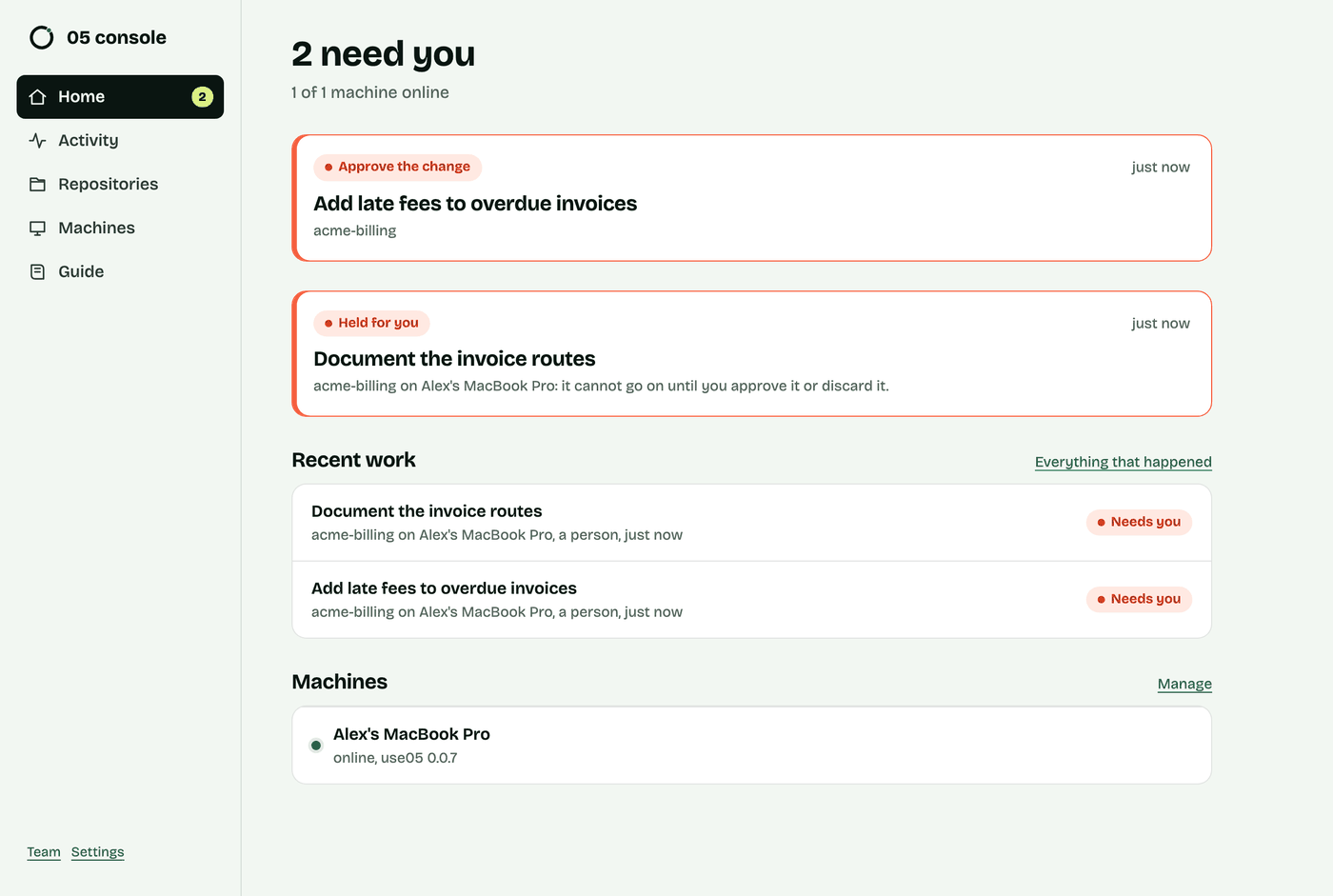
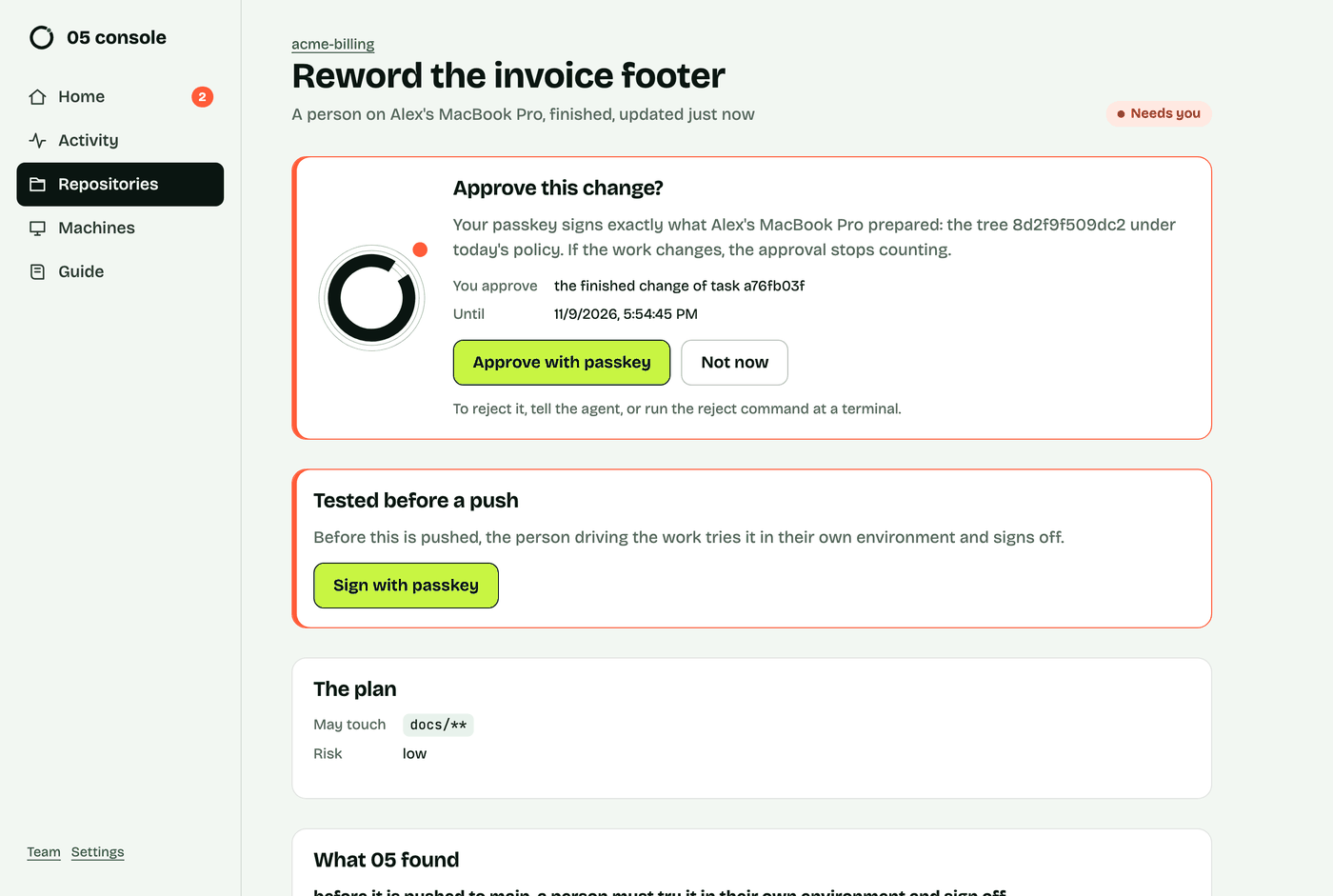
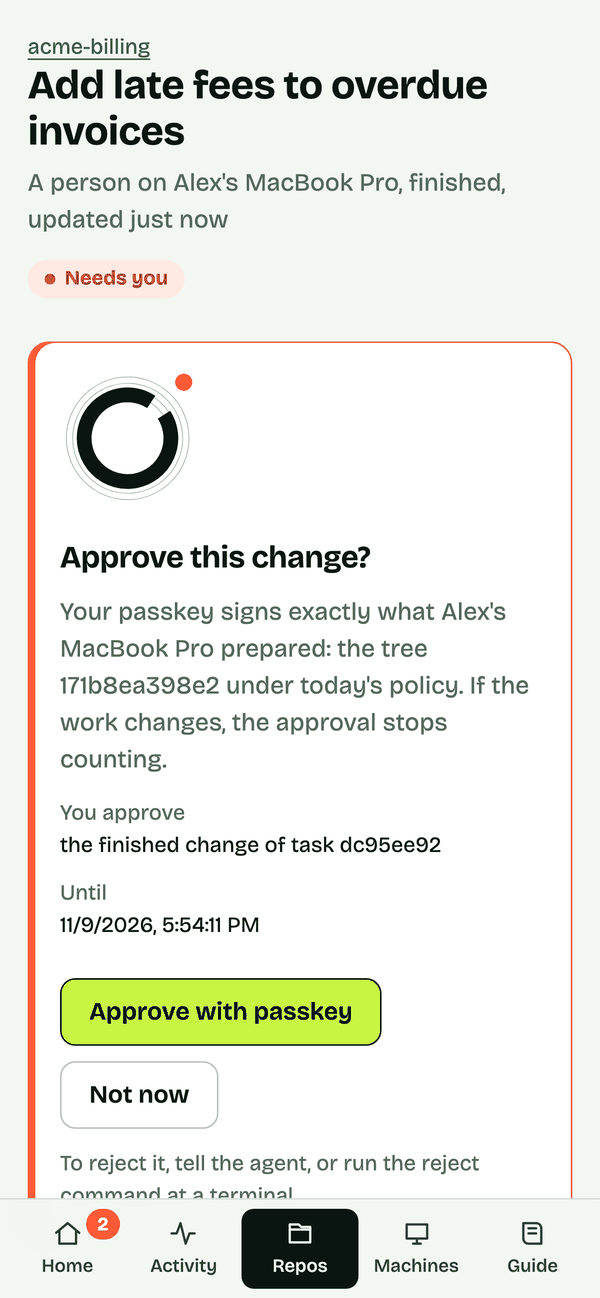
What the console can read: none of your work
Everything is encrypted end to end. Each machine seals what it reports, such as plans, file and folder names, checks, verdicts and the policy, to your console's key, and signs it with its own. Your browser checks the signature, opens it and builds every page itself. The policy editor runs in your browser too. Only your passkey, or a recovery code, unlocks that key.
The console keeps the sealed bytes and only what it needs to route them: which machine, which repository (by an opaque id), what kind of record, when, and who must approve what. Code, diffs, prompts and the agent's messages never leave your machine at all.
What it cannot do
Machines connect out to the console; it never reaches into a machine, and a machine runs nothing it is sent. It files an approval only for a statement it prepared and co-signed itself, and applies a policy edit only when the edit tightens the rules. So someone who took over the console could not read your work, run anything on your machines, or approve anything a machine did not ask for.
The honest limit.
The web page's code comes from the console. Whoever controls the host could serve a page that reads what you unlock in that browser, or that shows you one thing and asks your passkey to sign another. Host it where only you can change it. The docs list the smaller limits too.
Run it: one image, one file
The console is one container image. Its data is one SQLite file, so give it a volume:
docker run -p 8080:8080 -v console-data:/data \
  -e ORIGIN=https://console.example.com \
  ghcr.io/use05-dev/use05-console
Put it behind HTTPS, which passkeys need, on a host only you control. Passkeys are tied to the address, so choose ORIGIN before you sign up. On Railway, attach a volume at /data and set RAILWAY_RUN_UID=0. For email, give it a Cloudflare Email Service account or any SMTP server; without either, alerts show in the console only.
Claim it from your terminal
A fresh console has no owner. It writes a claim code to its log when it starts (on Railway, the deploy logs; with Docker, docker logs), so only whoever runs it can claim it. There is no setup secret to set. On your machine, run:
use05 cloud login https://console.example.comIt asks for the claim code, opens a one-time link where you make your passkey, and pairs the machine. To pair, you type a word only that terminal shows, then check that two codes match, one in the terminal and one in your browser. Run login inside a repository and it also reports that repository, pins your passkeys on the machine and keeps the helper running in the background, as a launchd job on macOS or a systemd --user service on Linux.
You stay signed in until you have not used the console for an hour, also when you open it from a link in an email. After that, or in a new browser, one passkey tap signs you in again.
Passkeys and the recovery code
Your passkey signs you in, approves, and unlocks your console's key. Unlocking needs a passkey with the PRF feature: iCloud Keychain on iOS 18 or macOS 15 and later, Google Password Manager, a recent Chrome, 1Password or a YubiKey 5. When you sign up you get a recovery code, shown once. Keep it somewhere safe: it unlocks your key on a device whose passkey cannot, and it is the only way back if you lose your passkeys.
If you work with others
The console is yours until you invite someone. Admins invite people from Team with a link that works once, for 48 hours, and each person makes their own passkey. A machine belongs to whoever paired it, and only they approve the work done on it. Removing someone ends their sessions, cuts off their machines and makes a new key for everyone who stays.
Set it up
Every setting, the steps for CI and cloud sessions, and what each limit means are in the docs: your own console. The source is in the same repository as the command line tool, on GitHub, under Apache-2.0.
Keep reading
Try 05 on your own repositories
The source, install steps and docs are on GitHub. Have a question, or want to tell us which agent and Git host you use? Email us. No forms, no cookies.